

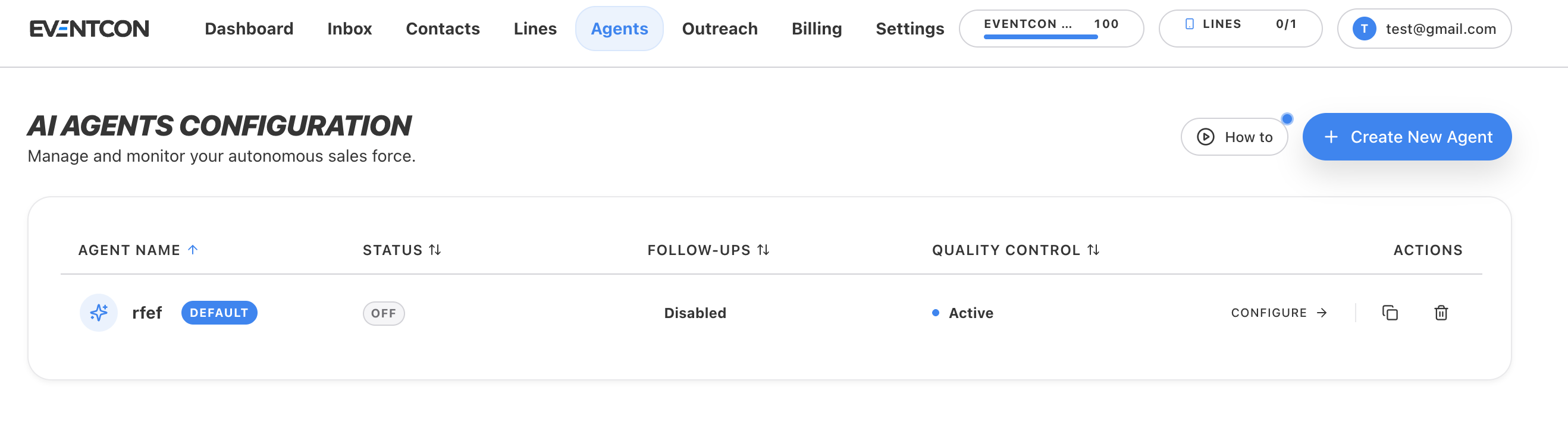
The agents list
Open Agents in the top navigation to see every agent. You can sort by any column.Create an agent
1
Click Create New Agent
On the Agents page, click Create New Agent. To see a walkthrough first, click How to.
2
Name it
Use a name that says what the agent is for, such as
Wealth Summit – Ticket Sales or Mastermind – Call Booking.3
Set its personality
Describe how it should sound: warm, upbeat, concise, and on-brand. Agents read best when they write like a person texting, with short messages, plain language, and no corporate tone.
4
Add talking points
Give it the facts it needs: event name, dates, location, ticket tiers and prices, what’s included, who it’s for, and the links it should share.
5
Add objection handling
List the objections you hear most, along with how you want each one answered. See the template below.
6
Set follow-ups
Turn on Follow-ups if you want the agent to gently re-engage leads who go quiet.
7
Turn it on
Save, then switch Status to ON. The agent starts replying to incoming messages.
AI agents use AI credits as they reply. Check your balance in the Credits pill in the top bar, and track usage on the Dashboard. See AI credits.
Agent template
Use this as a starting point when you configure an agent. Replace everything in brackets.Agent brief
Manage agents
Pause an agent
Pause an agent
Switch its Status to OFF. It stops replying, and you can handle conversations yourself in the Inbox.
Duplicate an agent
Duplicate an agent
Click the copy icon in Actions. Duplicating is the fastest way to build an agent for a new event or to test a different approach against your current one.
Delete an agent
Delete an agent
Click the trash icon in Actions. If you might want the agent again later, turn it OFF instead.
Tips for agents that sell
- Read real conversations. Review agent threads in the Inbox every week. Every awkward reply is a gap in its talking points or objection handling.
- One goal per agent. An agent that’s only booking calls does better than one trying to sell tickets, book calls, and answer support questions at once.
- Never let it guess. Tell the agent to hand off to a human when it doesn’t know an answer, rather than invent prices, dates, or policies.