

Where credits come from
The pool is filled from four sources:
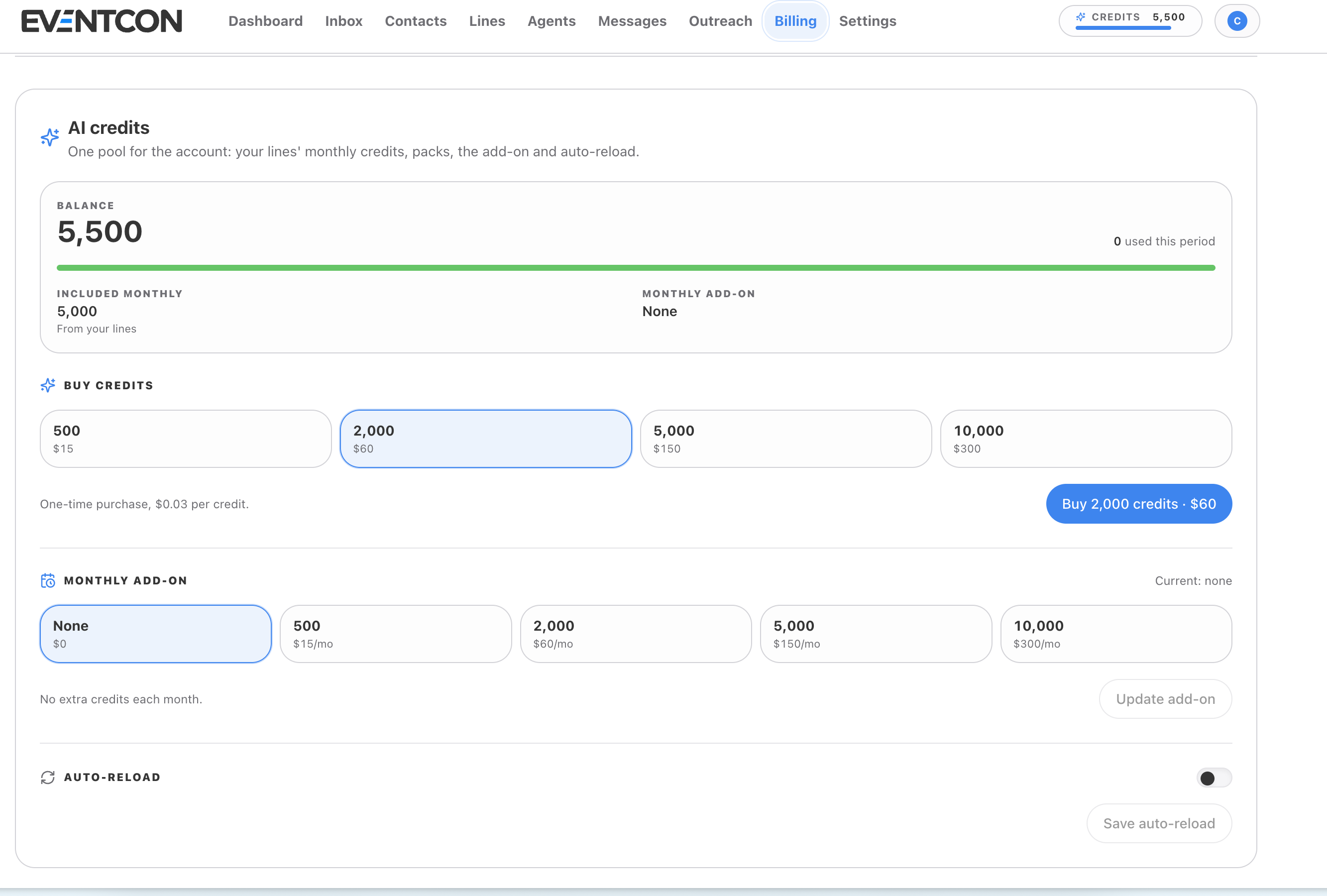
The Balance card in Billing → AI credits shows your current balance, how many credits you’ve used this period, how many are included monthly from your lines, and your current monthly add-on.
Buy a credit pack
1
Open Billing
Click Billing in the top navigation and scroll to AI credits.
2
Pick a pack
Under Buy credits, choose 500 (60), 5,000 (300).
3
Buy
Click Buy … credits, for example **Buy 2,000 credits · 0.03 per credit, and the credits go straight into your pool.
Set a monthly add-on
If you regularly need more than your lines include, a monthly add-on is simpler than buying packs.- Under Monthly add-on, choose None, 500 (60/mo), 5,000 (300/mo).
- Click Update add-on.
Turn on auto-reload
Auto-reload tops up your credits automatically, so agents don’t stop replying in the middle of a busy campaign.- Under Auto-reload, switch the toggle on.
- Set your reload options.
- Click Save auto-reload.
Plan your credit usage
What happens if I run out of credits?
What happens if I run out of credits?
AI agents need credits to reply. If your balance hits zero, agents can’t respond until you add credits, and leads could wait. Turn on auto-reload or a monthly add-on before a big launch.
How do I see how fast I'm using credits?
How do I see how fast I'm using credits?
The Dashboard Activity Overview charts AI credits used against Messages each day. Use the trend to size your add-on.
Do credits belong to a specific line?
Do credits belong to a specific line?
No. Credits from every line go into one pool for the whole account, so a busy line can use credits included with a quieter one.