

Each line is its own plan
Add lines whenever you need them, and cancel each one on its own.
A real iPhone line
Messages arrive as blue iMessage bubbles from a real number.
5,000 AI credits a month
Every paid line adds 5,000 AI credits to your account each month.
Step 1: Decide what the line should do
When you buy a line, EventCon asks “What should this line do?” Choose based on who starts the conversation.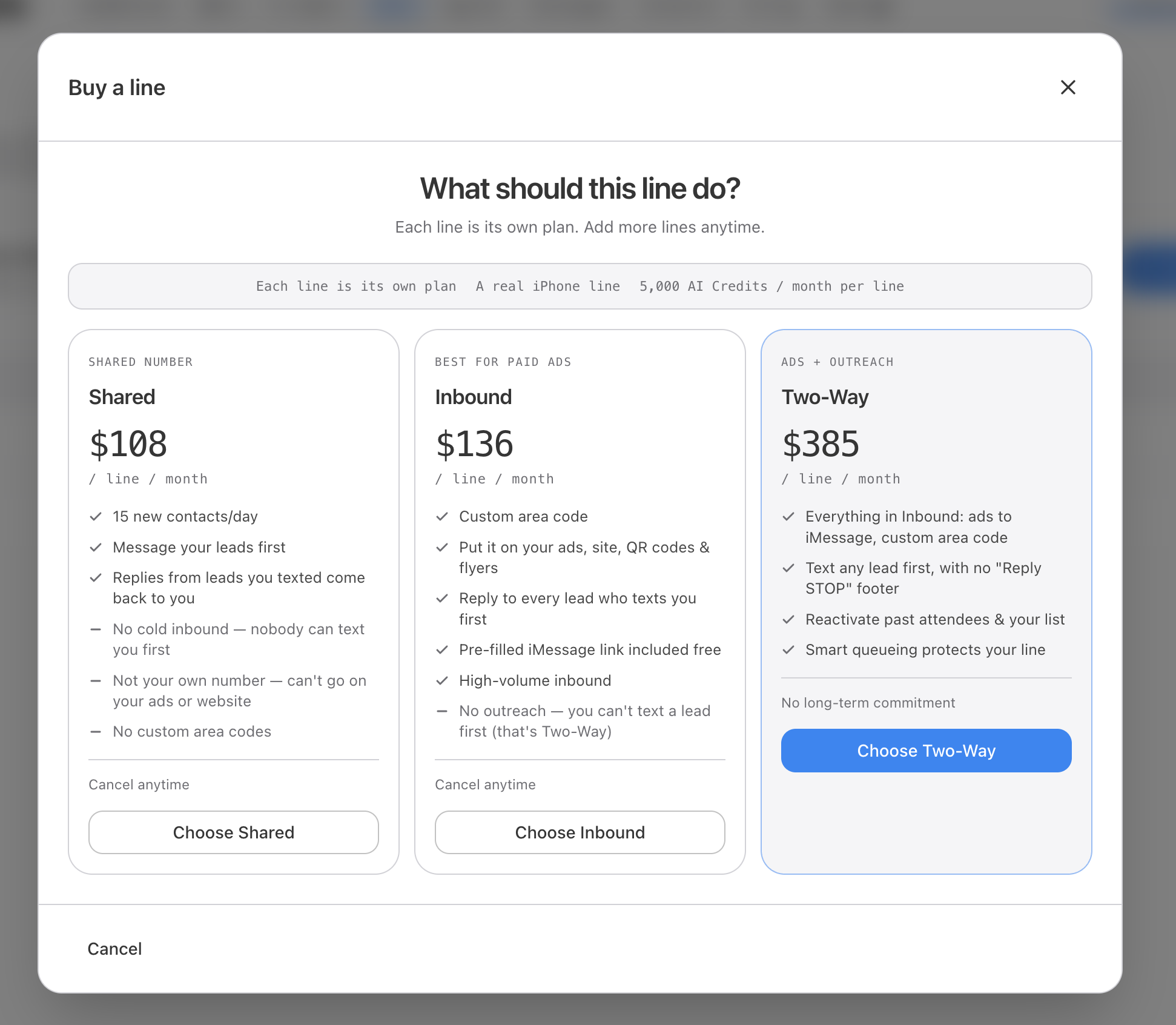
- Inbound ($136/mo)
- Two-Way ($385/mo)
Step 2: Confirm and pay
After you pick a line type, EventCon shows an order summary before you pay.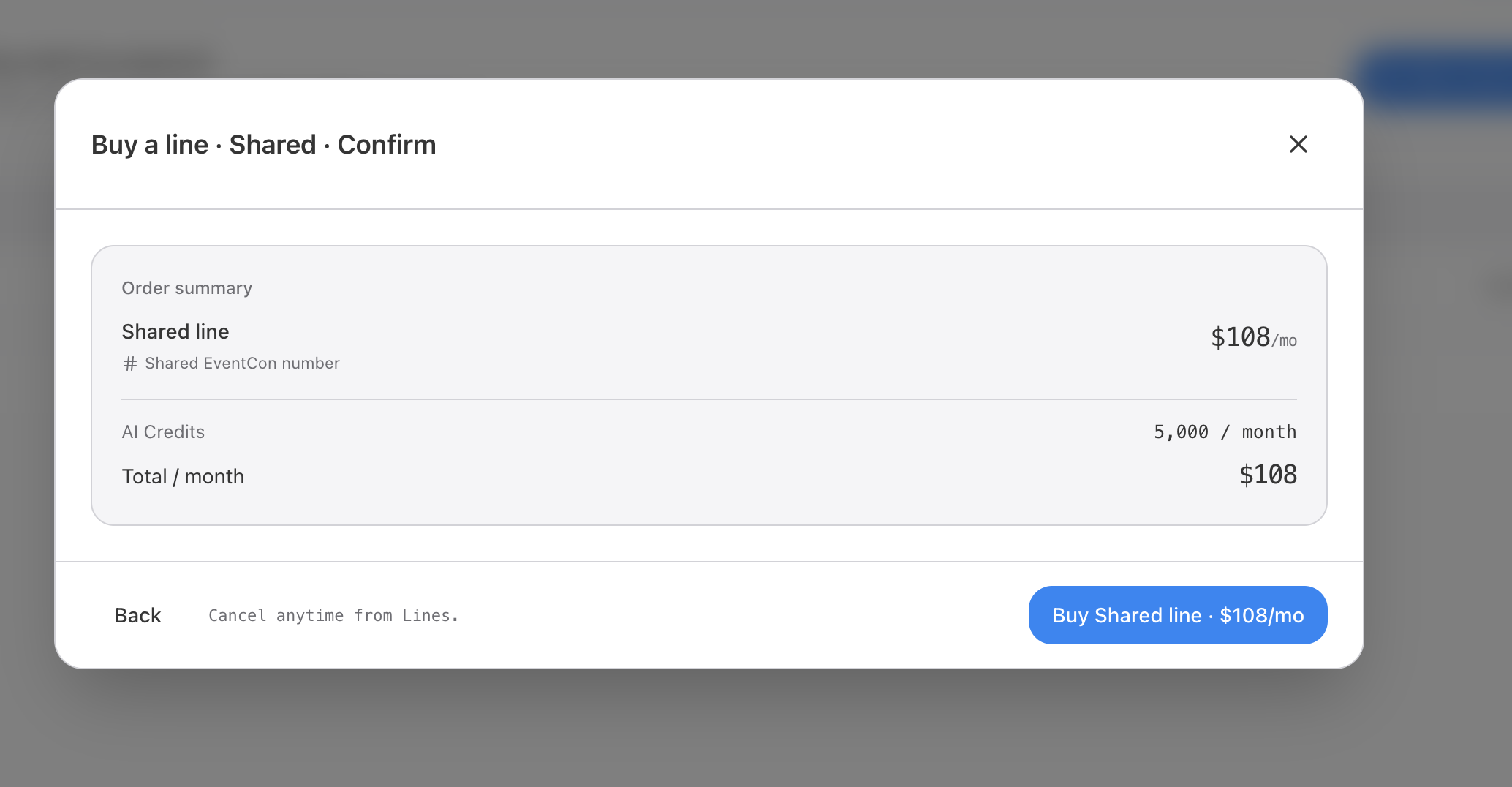
1
Open Buy a line
Go to Lines and start a new line purchase.
2
Choose a line type
Click Choose Shared, Choose Inbound, or Choose Two-Way.
3
Review the order summary
Check the line, its monthly price, the 5,000 AI credits / month it includes, and the Total / month. Click Back to change your choice.
4
Buy the line
Click Buy … line, for example Buy Shared line · $108/mo. The card on file in Billing is charged.
Step 3: Wait for the line to activate
New lines start in Setting up… status. You’ll see it in Billing → Lines. During this time EventCon activates a real iPhone number for you and signs it in to iMessage. Activation is usually quick, but Apple sometimes reviews a newly signed-in Apple account before it can send. That review can take up to a day, and nobody can speed it up, including Apple Support and EventCon.Why can activation take up to a day?
Why can activation take up to a day?
When EventCon signs your line’s Apple ID in to iMessage, Apple sometimes runs extra security checks before the account can send.First, Apple may ask to confirm the phone number on the Apple ID: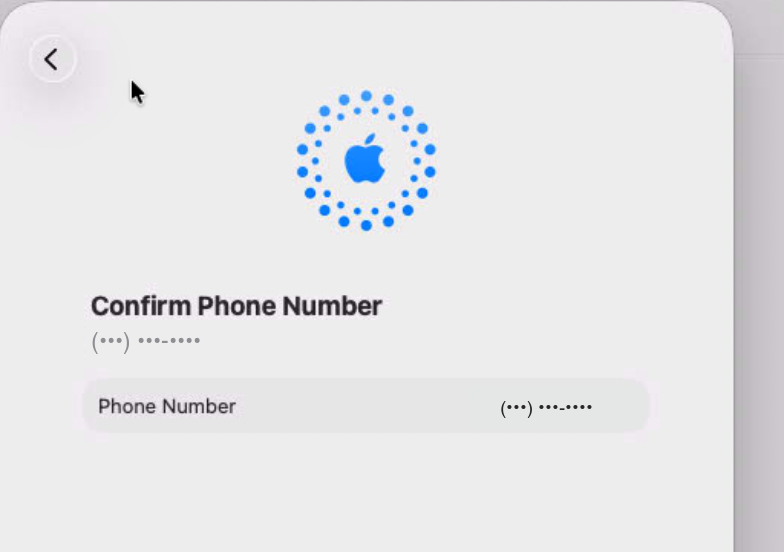 Sometimes Apple then shows Account Access Requested: “We’re reviewing your request to access this account. The review could take up to a day.” EventCon has to wait for Apple to finish before the line can go live.
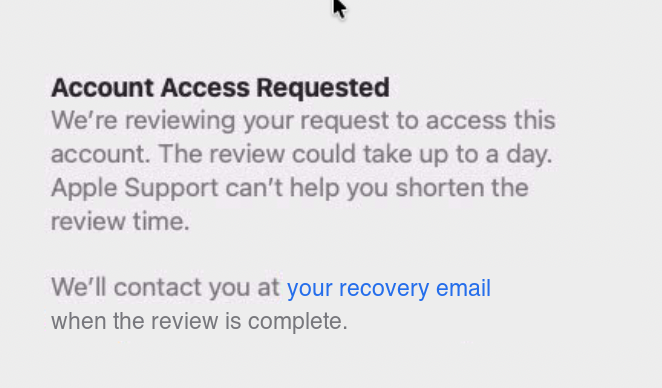 Once Apple approves the account, the line switches to Active. If it’s still Setting up… after more than 24 hours, email support@eventcon.ai.
While a line is setting up, you can still prepare everything else: import contacts, configure your AI agent, and draft your first campaign.
Cancel a line
Each line is its own plan, so you can cancel one without affecting the others. Cancel anytime from Lines. Two-Way lines have no long-term commitment either.Need something else?
- Just testing? The free Starter plan lets you try the ad-to-iMessage flow on a shared number. No credit card needed. See Pricing.
- Need many lines or custom volume? Book a call with sales for a custom volume plan.